The easiest review in the building.

The valet wait is a few minutes of standing still with a phone in hand and nothing to do. A code on the ticket turns that wait into a review.

25 mm sticker · QR to scan, NFC to tap · one code for this spot

Live demo — tap a button

Three steps. Fifteen minutes.

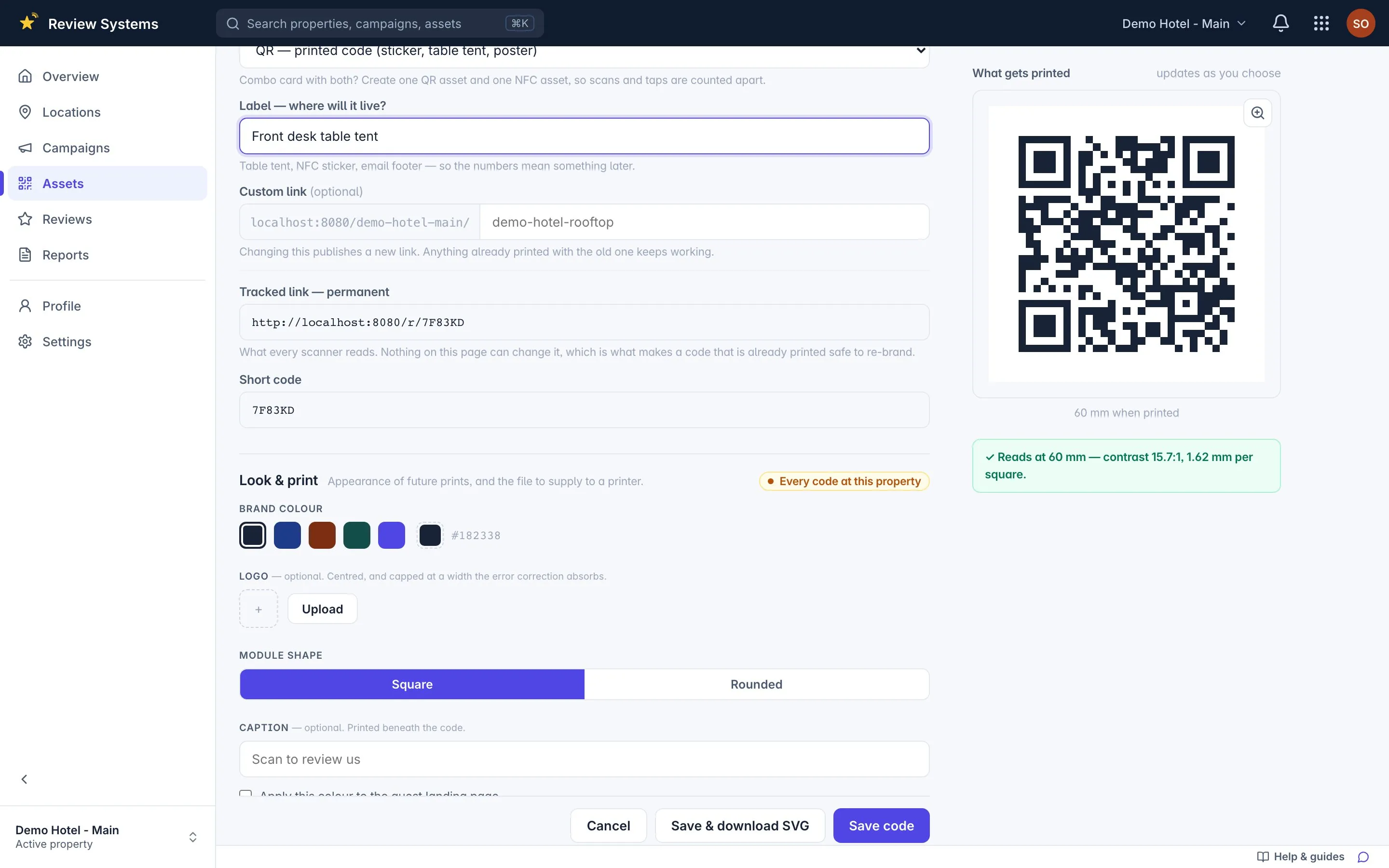
  1. QR panel: 25 mm sticker, 60 mm table tent, 150 mm poster — SVG, PNG, PDF
    Sample data

    Print the 25 mm sticker

    Create the spot "Valet", add a code and export SVG, PNG or print-ready PDF. Scan it once with your own phone before the print run.

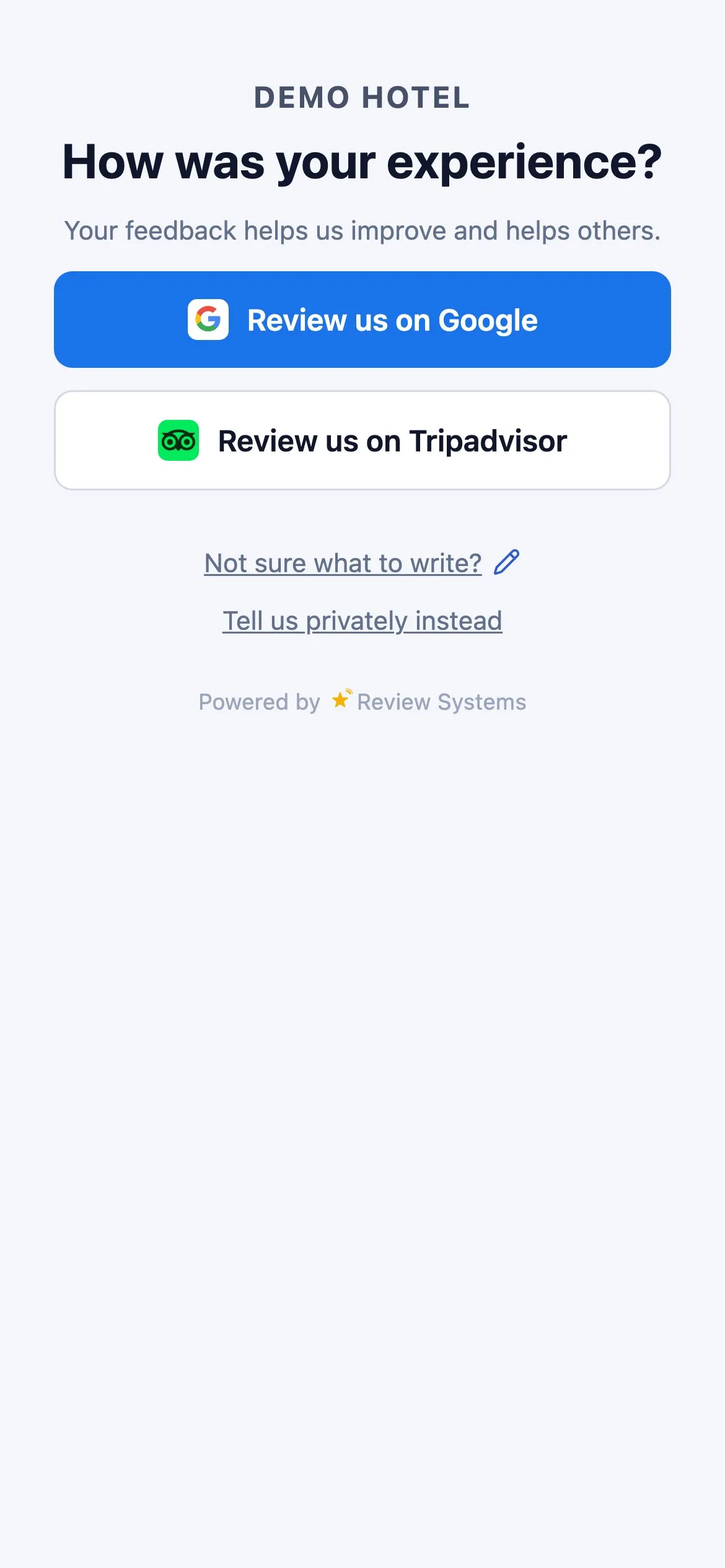
  2. The guest page, card layout: Google, Tripadvisor and a private word to the manager
    Sample data

    Put it where the phone already is

    Put a 25 mm sticker on the valet ticket or key tag the guest holds while the car is brought round, with the purpose written beside it, and have the attendant mention it when taking the ticket, not when handing over the keys.

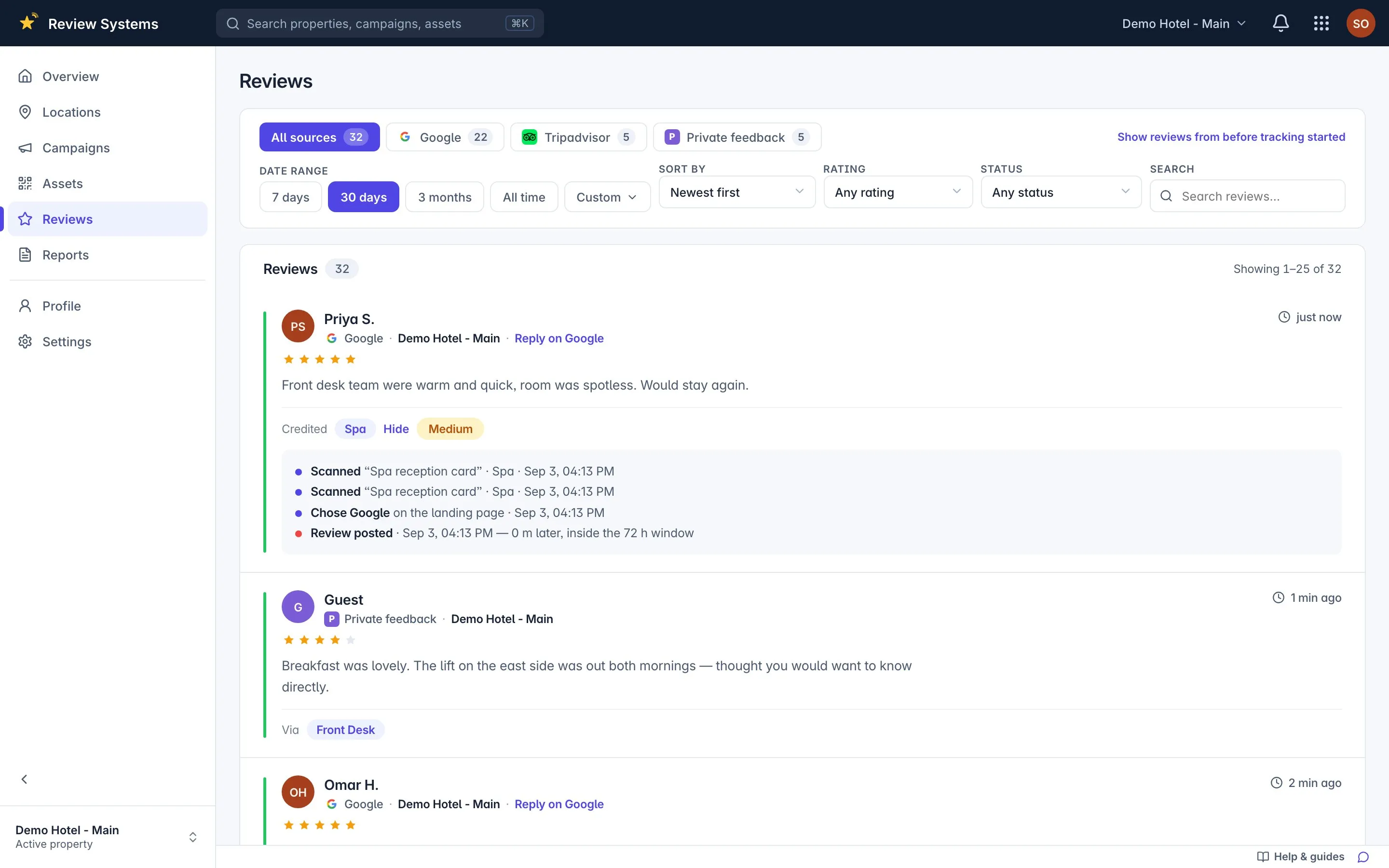
  3. A review with its scan → click → review attribution trail
    Sample data

    Reviews land, credited to Valet

    Every scan or tap is logged to this spot, and the review that follows is matched to it with the confidence stated.

Why a code at the valet stand?

The valet stand is the last spot a departing guest touches, and the only one where they wait several minutes with a phone in hand and nothing to do. In Review Systems the valet is its own campaign: the sticker on its ticket or key tag, the tent at its stand and its NFC tag each carry a tracked code, and reviews credited to Valet appear on the leaderboard beside the front desk, the bar and the rooms. A guest who scans lands on the same branded page as everywhere else — a Google review, a Tripadvisor review, or a private message to the manager, with every button visible at every rating. Because the valet sees only guests who drove, its row is smaller than the desk's; but the guest is standing still, the stay is complete, and the review that follows covers the whole visit. When the row goes quiet for seven days the idle-code notification fires — usually a new batch of tickets printed without the code.

The wait is the moment

Every other spot asks a guest to stop doing something. The valet stand asks nothing: the guest has already stopped, is holding a phone, and is looking for something to do while the car comes round. It catches the guest who waved at the front desk and kept walking.

What to print

Item Size Where Why
Sticker 25 mm The valet ticket stub or key tag In the guest’s hand for the whole wait
Tent 60 mm The valet podium For guests who handed the ticket over early
NFC tag Coin On the podium’s front edge A tap for guests who never scan

All three live in the Valet spot (a campaign, in the product). If the tickets are printed by a contractor, send them the SVG and a 25 mm minimum, and scan one printed ticket before the batch goes to the stand.

What the attendant says

“It will be a few minutes — if you like, there is a code on your ticket to leave us a review.” Said when taking the ticket; by the time the car arrives the moment has passed. Never ask for a rating, never suggest what to write.

What you will see

Reviews credited to Valet appear on the leaderboard beside the desk, each with its trail. A valet row that stays at zero for seven days raises the idle-code notification: the tickets probably lost the sticker at the last reprint.
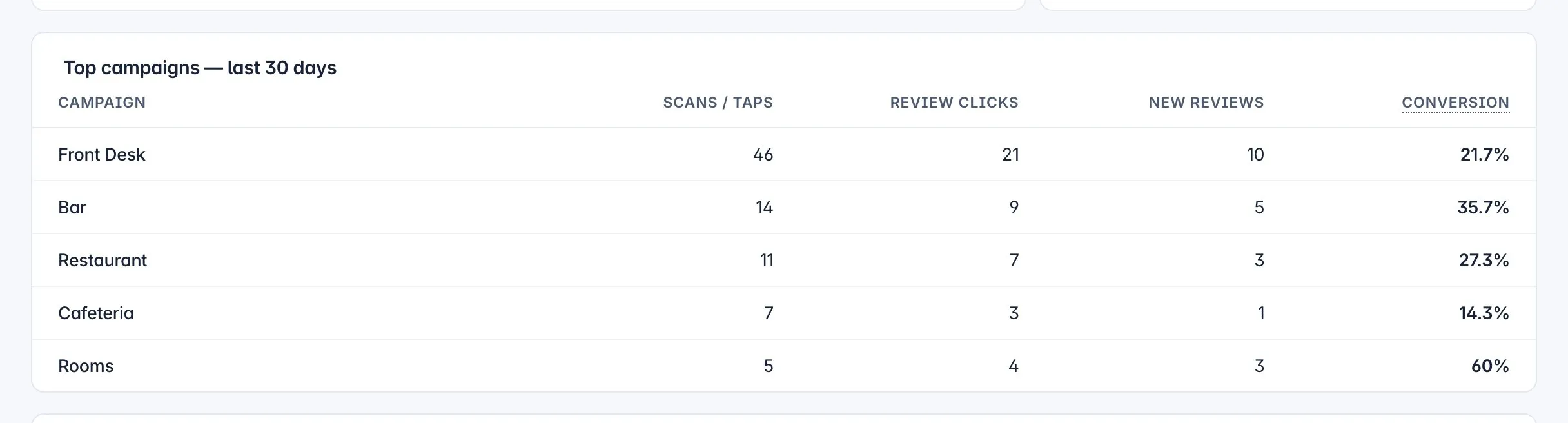
The valet against the other spots.

Scans, taps, reviews credited and conversion, side by side. Move the paper that is not working; print more of the paper that is.

Top campaigns leaderboard — the bar card against the room card
Sample data

Common questions

Ticket, key tag or a sign at the stand?

The ticket first, because the guest is holding it for the whole wait. A 25 mm sticker on the stub, or the code printed into the ticket design itself, is the default. Add a 60 mm tent at the stand for guests who hand the ticket over early, and an NFC tag on the podium for the ones who tap. All three count toward the Valet row.

When should the attendant mention it?

When taking the ticket, not when handing over the keys. "It will be a few minutes — if you like, there is a code on your ticket to leave us a review." Once the car arrives the guest is driving, not typing. Never ask for a rating or a name; the invitation is the whole ask.

Isn't the front desk already asking at check-out?

Often, yes — and the leaderboard will show you whether the valet catches the guests who hurried past the desk. Keep the two as separate campaigns. If Valet earns reviews the desk missed, the wait was the better moment; if it earns none, the desk is doing the work and the valet sticker can go.

The tickets are printed by the parking contractor. Does that matter?

Only for logistics. Send them the SVG from the Valet asset and a 25 mm minimum; the product refuses to export a code that would print too small to scan. The address printed on the ticket never changes, so a reprint next year points at the same spot.

Read the full FAQ → or contact us

Print one code today.

Add your property, print a code for one spot, and watch the first review land credited.