Every review, credited to its spot.
Print a code, the guest scans or taps it, and the review that follows carries the spot's name.
No app for guests · No hardware to buy · Print and go
Three things, stacked.
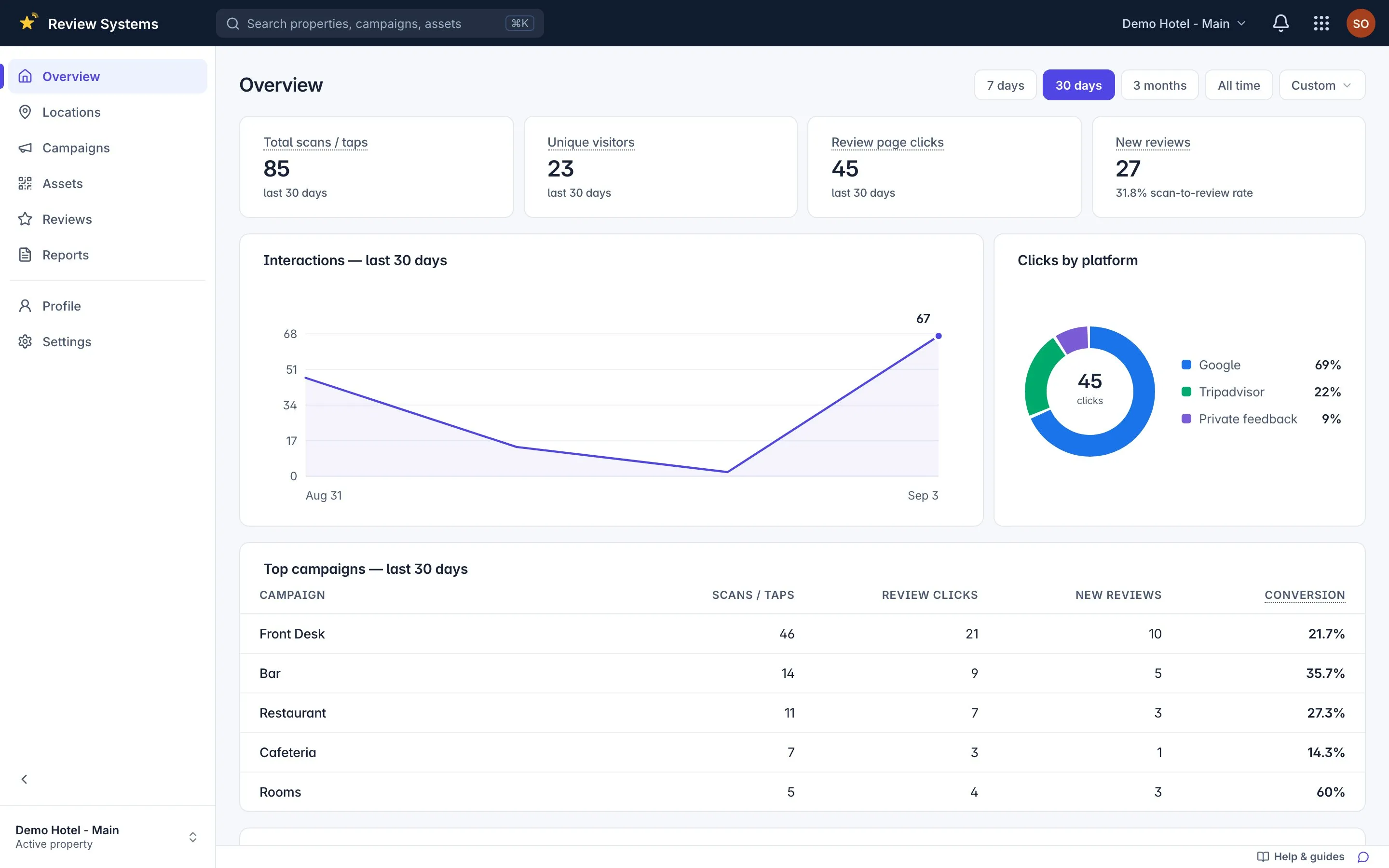
Sample data A property
One physical place, one Google listing, its own guest page, links and team.
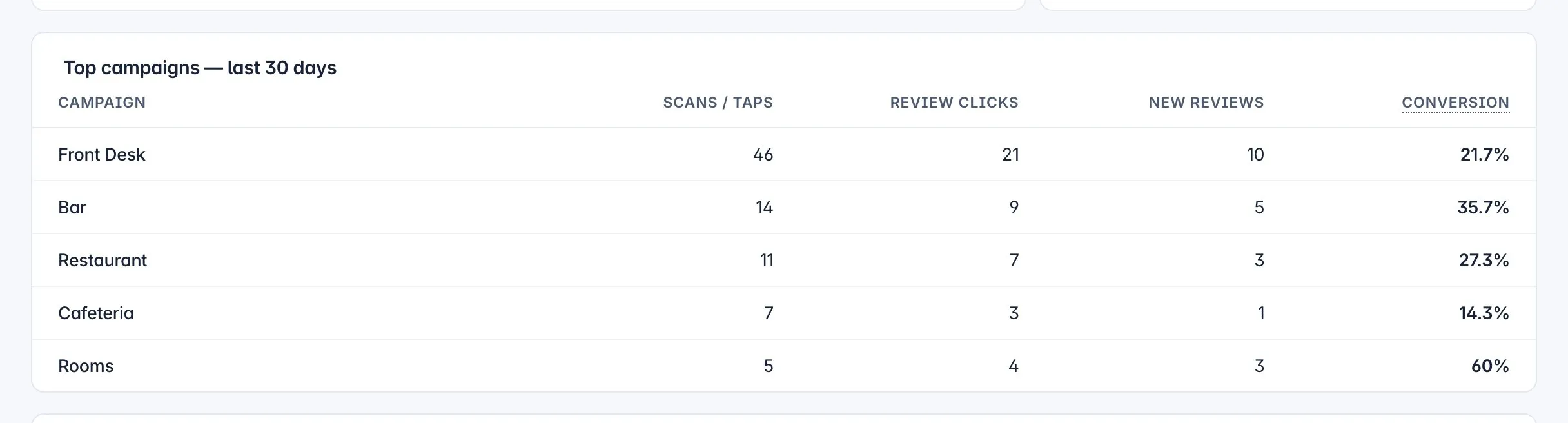
Sample data A spot
The front desk, the bar, the rooms, a table — the thing you compare. A campaign, in the product.
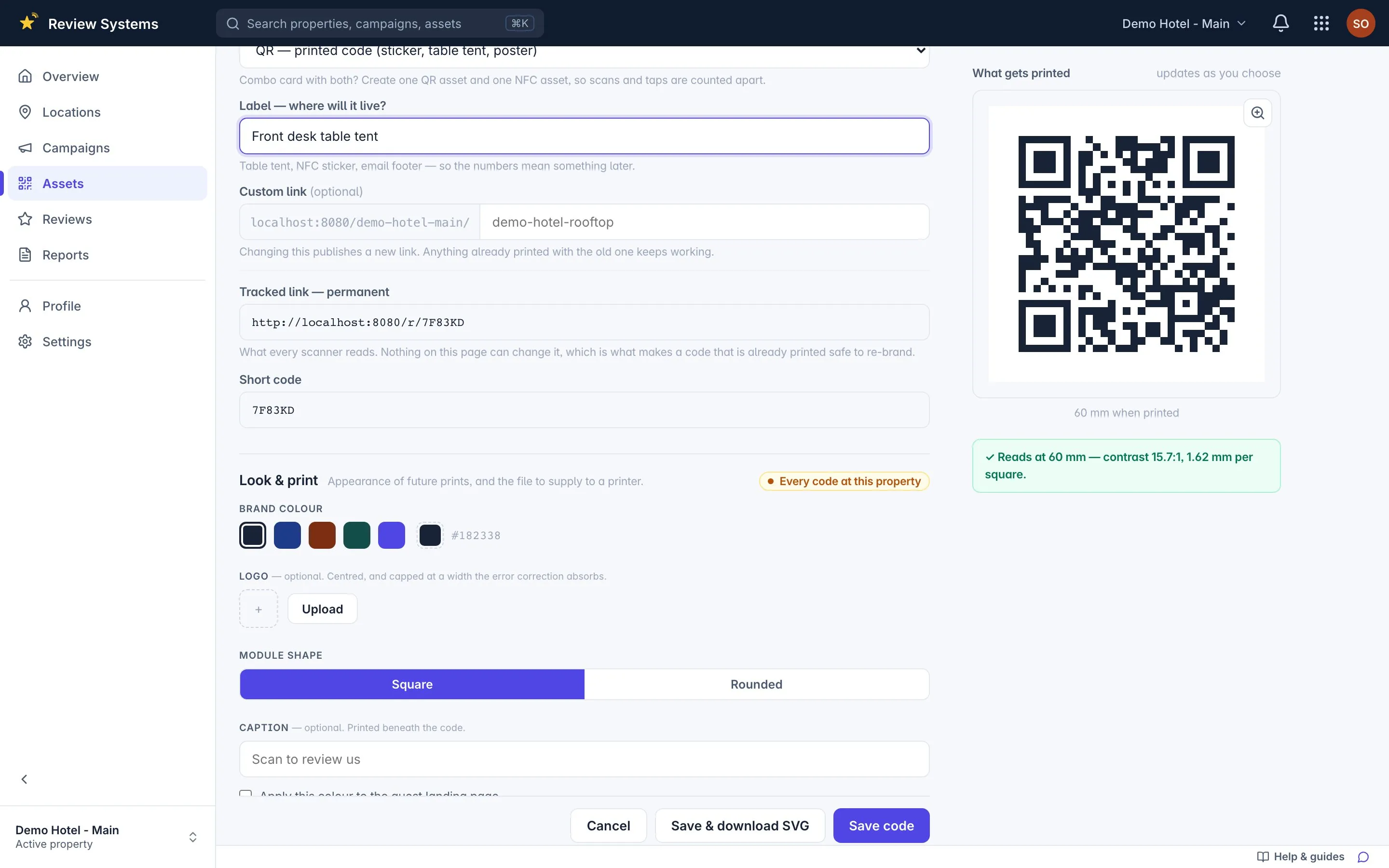
Sample data A code
One printed item — sticker, table tent, poster or NFC tag — with its own permanent address.
What a tracked scan needs
Every tracked scan in Review Systems needs three things stacked on top of each other: a property, a spot and a printed code. A property is one physical place with one Google listing. A spot — called a campaign in the product — is one place inside it where you collect reviews: the front desk, the bar, the rooms, a table. A code is one printed item, a QR sticker, table tent, poster or NFC tag, with its own permanent tracked address. A guest who scans or taps lands on the property's guest page and picks Google, Tripadvisor or a private note; the scan and the tap are logged against the code. When a review appears on the platform, attribution looks for a scan or tap at the same property inside the spot's window and credits the spot, with the confidence stated. Skip any of the three and the code still prints, but nothing is counted.
One page for the guest. Every button, every rating.
Google, Tripadvisor, or a private note to you. No app, no account, no cookie.
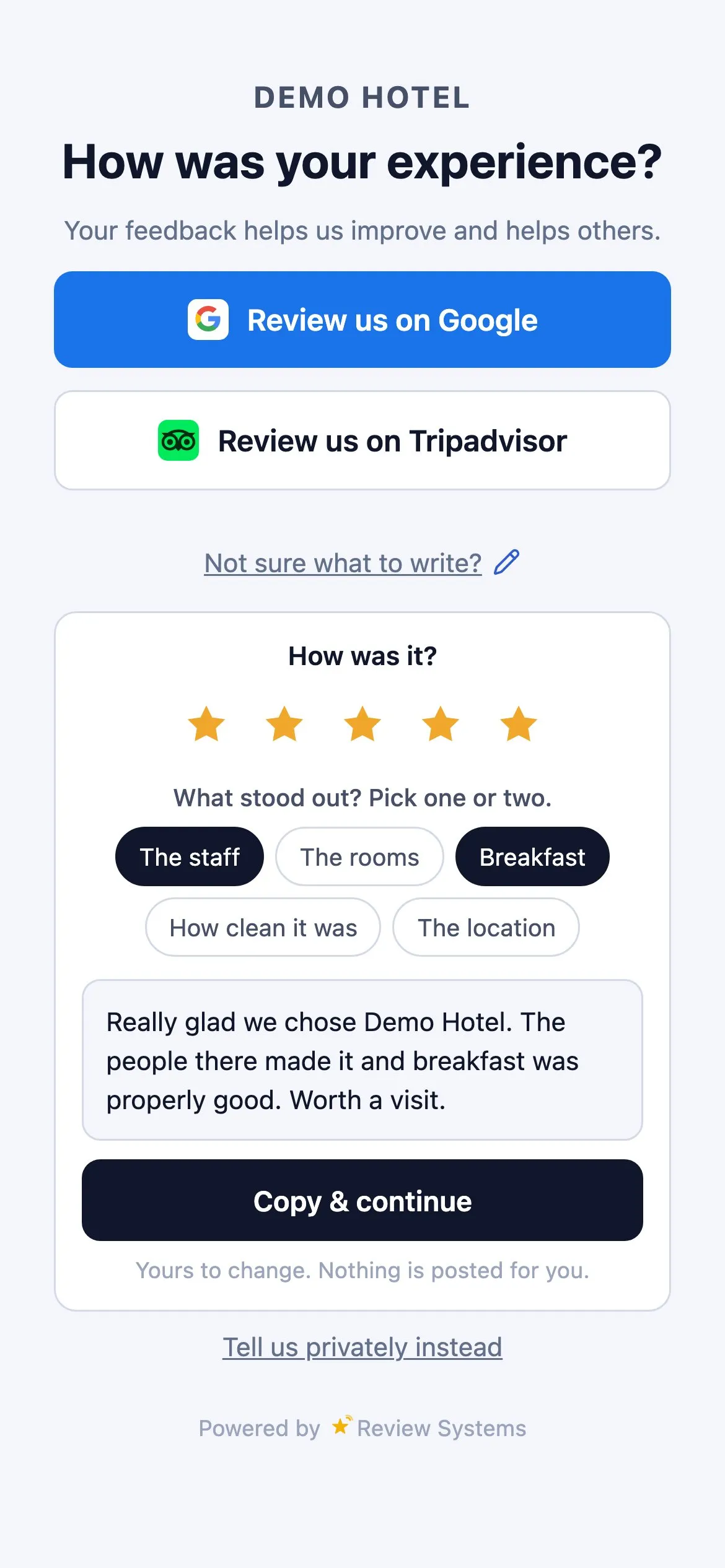
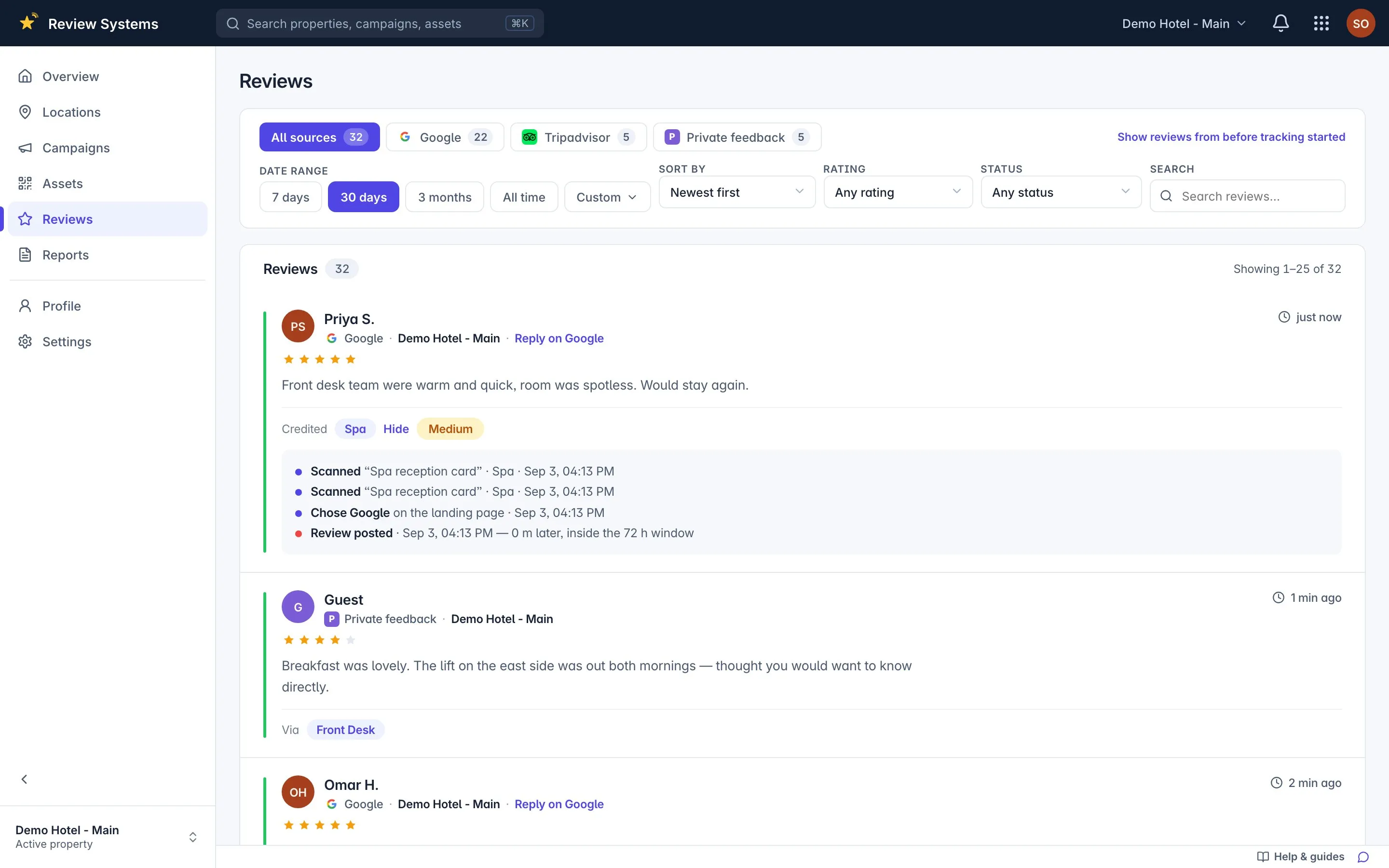
The review is matched to the tap before it.
Nothing on Google says which card a review came from. Attribution matches the review to the scan and tap inside the spot's window — 72 hours by default — and states how sure it is.
| Confidence | Rule | What it means |
|---|---|---|
| High | Exactly one tap on a review button inside the window | The review came from this spot |
| Medium | Several taps inside the window; the most recent is credited | The spot earned it; which tap is a judgement call |
| Low | A scan inside the window, but no tap on a review button | The guest saw the page and reviewed later or another way |
| Unattributed | No scan or tap at this property inside the window | A guest found you without a code. Honest reporting, not a broken tag |
Private feedback never enters attribution or the public average. It never reaches a listing.
Print it, or it refuses to print.
Sticker, table tent or poster as SVG, PNG or print-ready PDF. A code that would print too small to scan is refused, and your brand colour must clear 4.5:1 or the product tells you why not.
Renaming a spot keeps the old address resolving forever. Reprinting is the expensive step.
Reports you can forward.
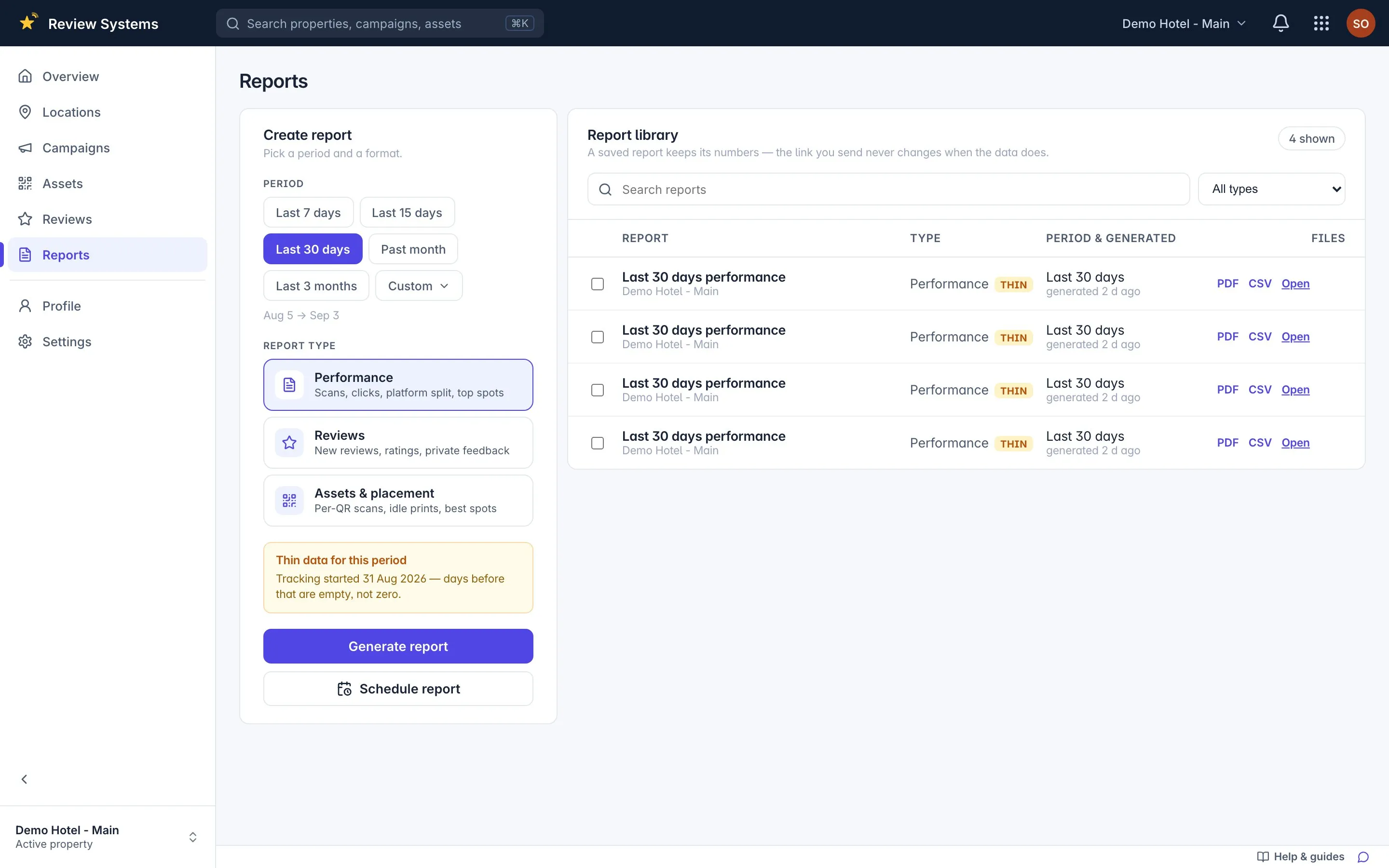
A stored snapshot on a link, as CSV or PDF, mailed fortnightly or monthly. The link you send in September still shows September's numbers in December.
Questions about the mechanics
How can you know which spot earned a review?
A guest scans the code at a spot, taps a review button, and writes the review on Google's or Tripadvisor's own site. When that review appears, Review Systems looks for a scan or click at the same property inside the spot's attribution window (72 hours by default) and credits it: one matching click is High confidence, several is Medium, a scan with no click is Low, and nothing is Unattributed. Every hop is logged; only the last one is a judgement call, and the confidence is shown.
What do you mean by a spot?
A spot is one place inside a property where you collect reviews: the front desk, the cafeteria, the bar, the rooms, a table. In the product it is called a campaign. Each spot has its own printed codes and its own numbers, and the leaderboard compares them. "The bar card beats the room card" is a sentence you can only say if the bar and the rooms are separate spots.
What happens to printed codes if I rename a property or a spot?
They keep working forever. A published address is never taken back: renaming publishes a new address and the old one keeps resolving to the same spot. A sticker already in the world cannot hear about a rename, so the product is built so it never has to.
Where do the reviews in the dashboard come from?
Review Systems reads public reviews for each property from Google, Tripadvisor and Yelp through a review-data provider, then matches them to scans. It reads reviews; it does not post or reply. A property is one Google listing, which is why two hotels in one city are always two properties.
What do you store about my guests?
For each scan or click: the spot, the type, the platform, a truncated browser string, a hash of the IP address (never the address itself) and the time. No name, no email, no device identifier, no location. Guests never log in and no cookie or tracking pixel is set on the guest page.
Keep reading
Solution
Hotel review collection per spot — QR, NFC, links
Google and Tripadvisor reviews from the front desk, the bar and rooms, and which spot earned each one. Private feedback reaches the manager, not the listing.
Placement
QR code for the hotel front desk — placement, size and what it earns
Where a review QR code works at reception, which size to print, what to say at check-out, and how the desk's reviews compare with the bar's and the rooms'.
Guide
How to get more Google reviews for a hotel or restaurant, by the rules
Ask at the moment, at the spot, with a code the guest can scan; show every guest every option; never reward. What the data says on volume, recency and ranking.
Page
FAQ
How the guest page works, what attribution means, what happens to private feedback, what is stored, and what Review Systems will never do with reviews.
Start collecting customer feedback.
Free to use. Create your account, add your business and print your first QR code.

 ChatGPT
 Perplexity
 Claude
 Gemini · Google AI Mode
 Reddit
 X
X